
How to Allow an Individual Teacher to View All Data for Their Rostered Students
simpldiscipline allows districts to grant specific users, such as individual teachers, the ability to view all data related to the students on their roster while most teachers only see the information they personally document.
This can be enabled on an individual basis using the View all data for rostered students special user permission on the User Management page. To locate this permission, navigate to Admin Area (red button) > User Management (left navigation) > select the user > scroll to the bottom of the page and edit the Special User Permissions section.
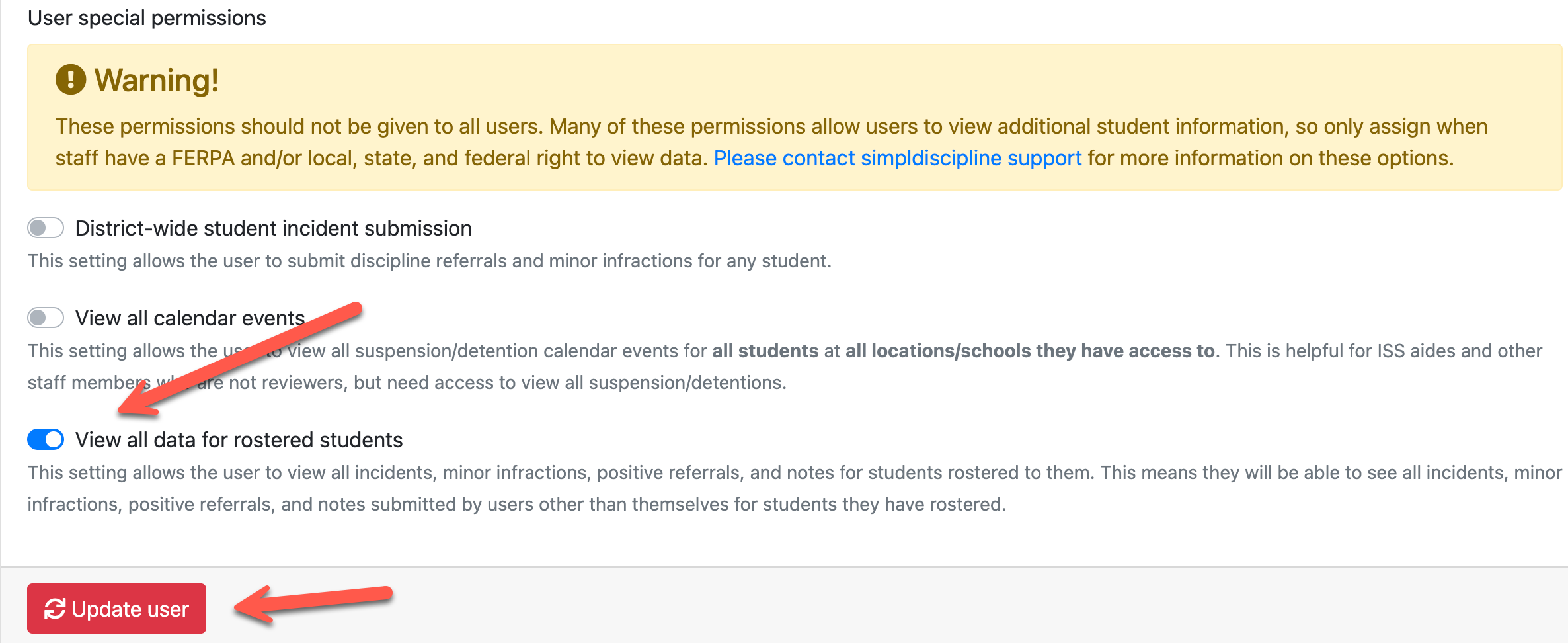
When this permission is enabled, the user can view all incidents, minor infractions, positive referrals, and notes associated with students rostered to them. This includes records created by other users, not just the records the teacher submitted themselves.
DataImage32.png
| Files | ||
|---|---|---|
|
|
DataImage32.png
276 KB
|