
Creating a Real-Time Alert from a Preset
When creating a Real-Time Alert, several pre-built alert presets are available to help you get started. These presets include commonly used rules that you can customize to meet your school’s specific needs.
Create an Alert from a Preset
- Navigate to Real-Time Alerts
- Choose whether you are creating a My Alert or School Alert and click New Alert.
- Select Create from Preset.
Choose the preset rule you would like to use from the available list.
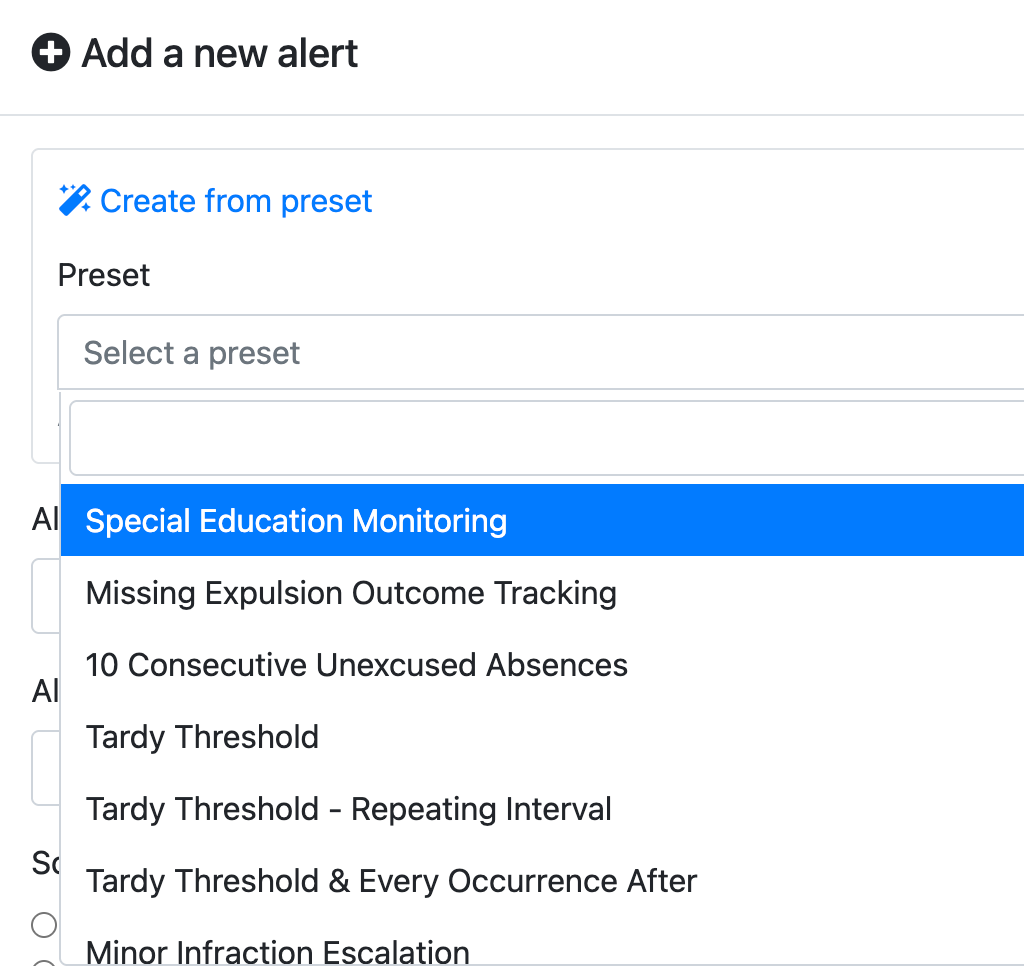
Review the preset settings and make any necessary changes. You can adjust the criteria, thresholds, actions, notifications, or other available settings to fit your needs.
Once you have finished customizing the alert, click Save.
Review the preset settings and make any necessary changes. You can adjust the criteria, thresholds, actions, notifications, or other available settings to fit your needs.
Once you have finished customizing the alert, click Save.
Note: Presets are designed to provide a starting point. You can modify the settings before saving the alert to ensure the rule matches your school’s specific process and expectations.
DataImage57.png
DataImage45.png
| Files | ||
|---|---|---|
|
|
DataImage57.png
65 KB
|
|
|
|
DataImage45.png
109 KB
|