
Update District Contact Email Address
simpldiscipline displays a District Contact field in several areas of the system to help direct users to the appropriate district contacts when they need to request changes or assistance. By default, this field is automatically populated with a comma-separated list of users who have the Super Admin role.Districts can customize this text to display any contact information they prefer.
To update this field, navigate to:
Admin Area > System Settings > District Contact
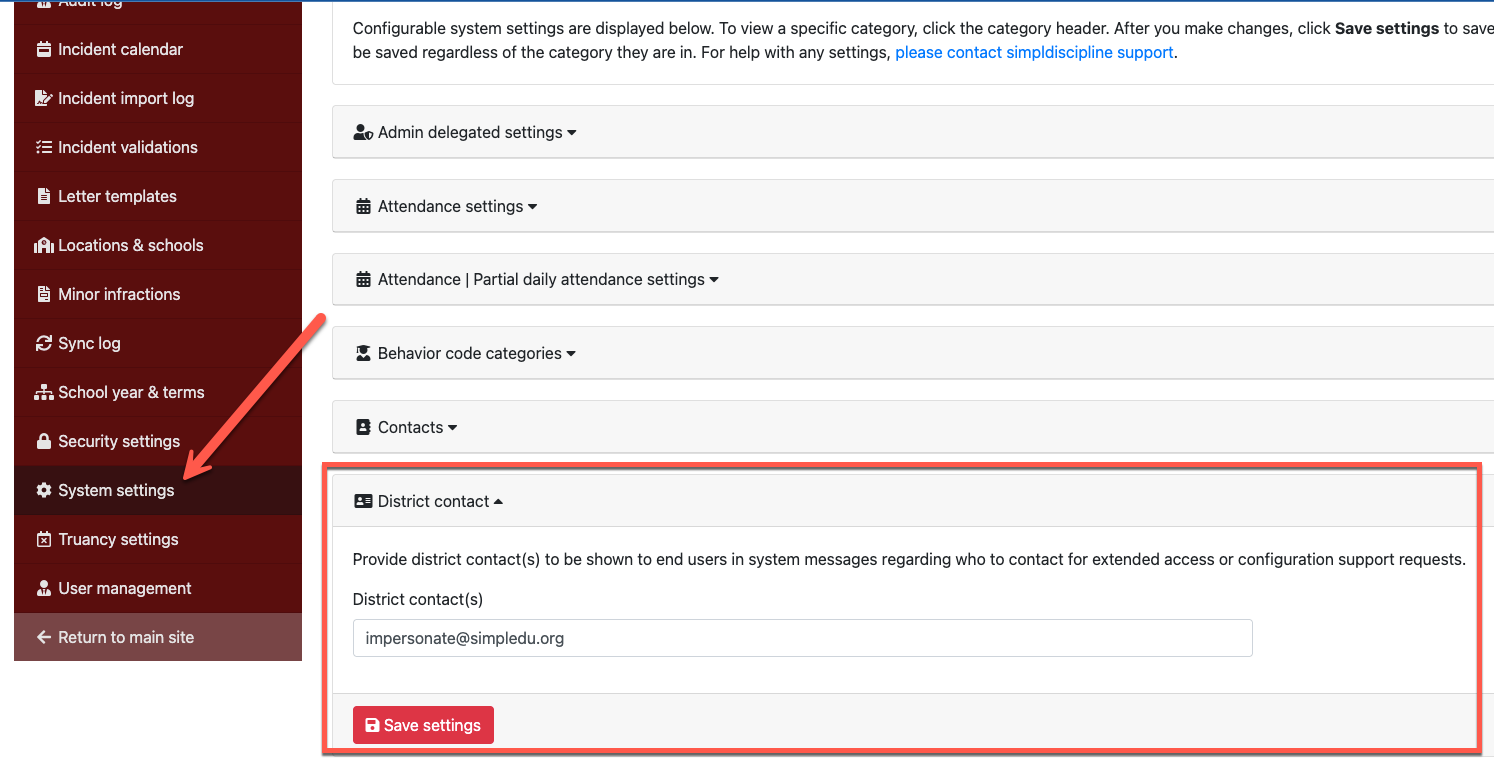
Once updated, the new text will appear anywhere the District Contact field is displayed in simpldiscipline.
DataImage27.png
| Files | ||
|---|---|---|
|
|
DataImage27.png
145 KB
|